 InvoiceCraft
How to customize your Shopify invoice template (no code)
· 4 min read
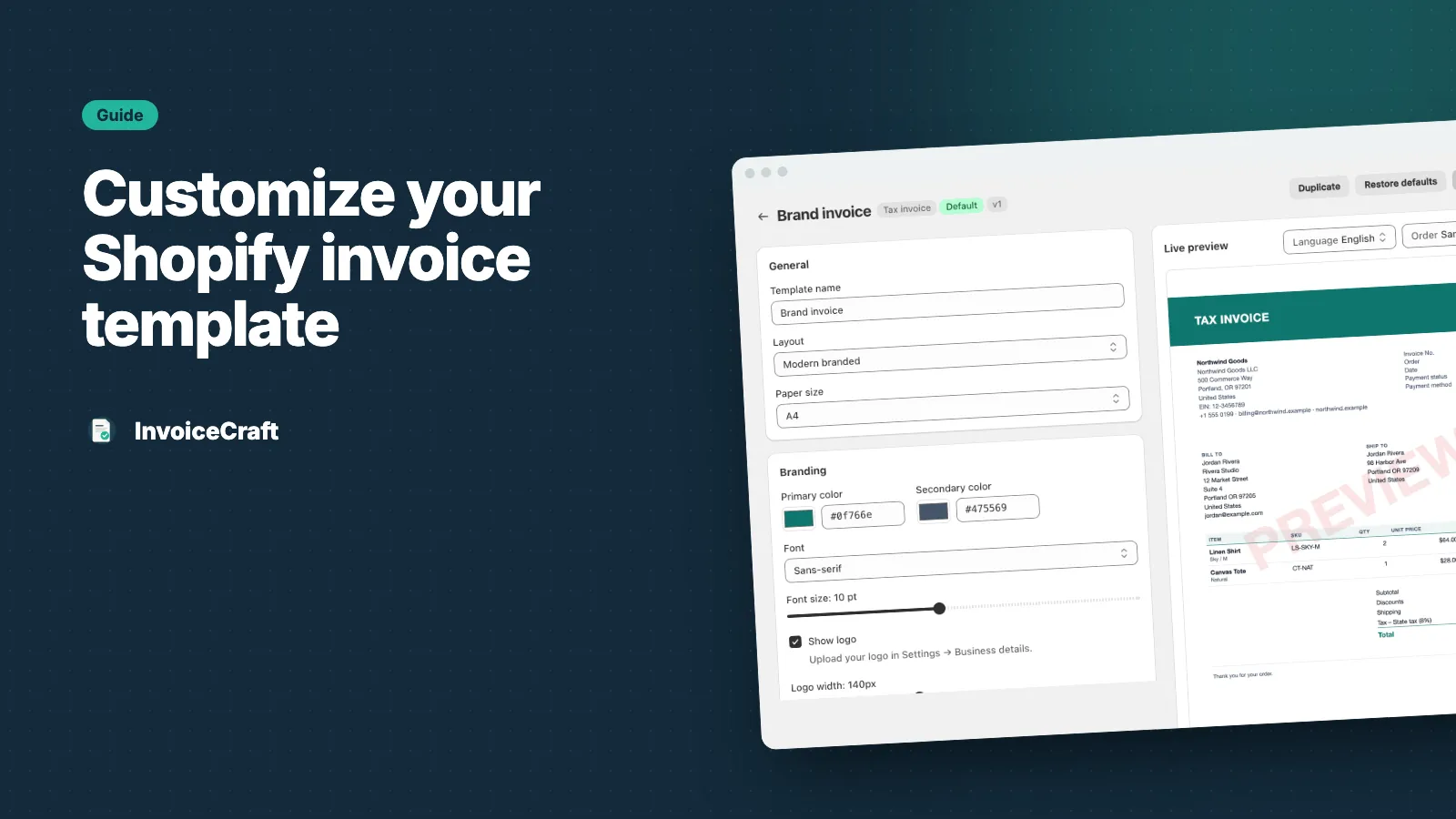
Your invoice is one of the few documents every customer keeps. A plain, generic invoice works — but one with your logo, colors and the right details looks more professional and answers questions before customers ask them. Here’s how to customize your Shopify invoice template in InvoiceCraft without touching any code.
Start from a layout or the gallery
Open Templates and create an invoice template. You can start from one of three layouts:
- Minimal — clean and light, with the essentials
- Modern — a colored header band, product images and a QR code
- Compact — smaller type that fits long orders on fewer pages
Or start from the template gallery, with ready-made designs for fashion, beauty, electronics, food, handmade, B2B and wholesale, home and furniture, and digital products. Each one is a starting point you can change.
Add your brand
- Logo — upload it once under Settings → Business details, then set its width in the template
- Colors — a primary and secondary color, to match your store
- Font — sans-serif, serif or monospace, and the font size
- Paper size — A4 or Letter
Every change shows instantly in the live preview next to the settings. The preview uses a sample order, so it never uses up an invoice number.
Choose what appears on the invoice
Turn fields on or off:
- Billing and shipping address
- Customer email and phone
- Payment status and payment method
- Order note
- Your tax ID and contact details
- A thank-you line
Add your own header and footer text — for example your returns policy, bank details or a company registration number.
Pick your columns
Choose which columns appear for each line item, and in what order:
image · title · SKU · variant · quantity · unit price · discount · tax · total
A fashion store might show product images and variants. A B2B store might prefer SKUs and per-line tax.
Show tax the right way
Choose how tax appears:
- Summary — tax totals at the bottom, with the rate for each tax line
- Per line — a tax column on every item
- None — no tax section
If you sell in the UK or EU, read what a VAT invoice needs to include.
Add a QR code or barcode
On Starter and Pro, add a QR code or barcode generated from the order number or the document number. It’s handy for scanning returns or matching paperwork in the warehouse.
Set it as the default
Each document type — invoice, receipt, packing slip, credit note — can have its own default template. Templates are versioned, and you can restore the defaults at any time.
Plans include 5 templates on Free, 10 on Starter and 50 on Pro. All three layouts are available on Starter and Pro; Free includes Minimal. See pricing.