 InvoiceCraft
Branded PDF invoices,
sent the moment
an order is paid.
Invoices, receipts, packing slips and credit notes for every Shopify order. Design them once, then print, download or email them automatically.
- ✓Live template editor
- ✓Auto-email after payment
- ✓Bulk ZIP & merged PDF
- ✓7 languages, gapless numbers
- 1Order is paidShopify sends the event
- 2PDF is generatedYour branded template
- 3Customer gets emailPDF attached
- 4Record is lockedGapless, unchangeable
- document types
- 4
- document types
- languages
- 7
- languages
- orders per bulk job
- 500
- orders per bulk job
Why InvoiceCraft
Paperwork that runs itself
Branded in minutes
Add your logo, colors and fonts. Pick Minimal, Modern or Compact and see a live preview as you edit.
Automatic after payment
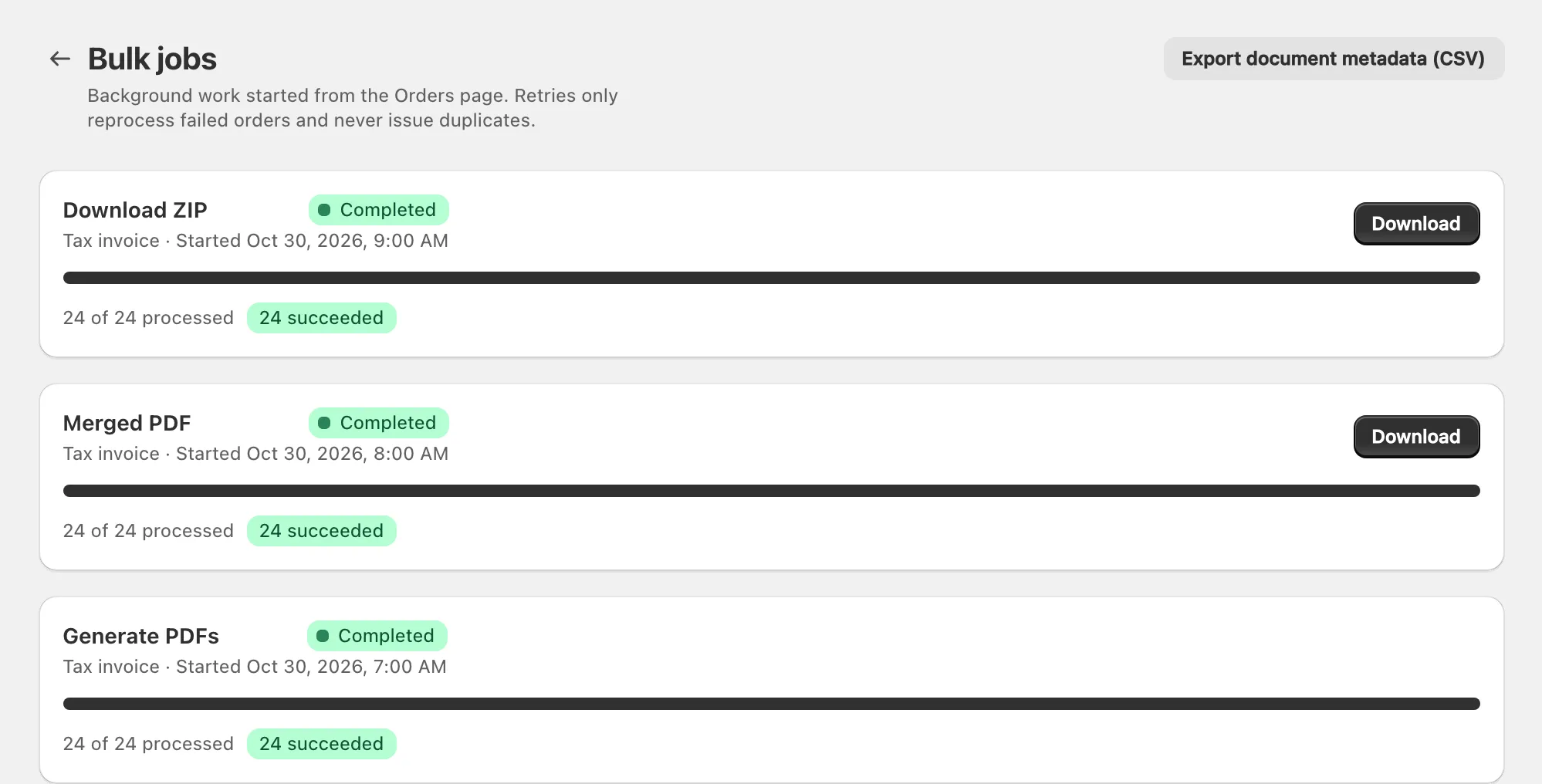
When an order is paid, the right invoice or receipt goes to your customer — with the PDF attached.
Audit-ready records
Sequential numbers with no gaps. Issued documents never change, and credit notes follow every refund.
Features
See exactly how it works
Real screens from the InvoiceCraft app, inside your Shopify admin.
Every document for an order, in one place
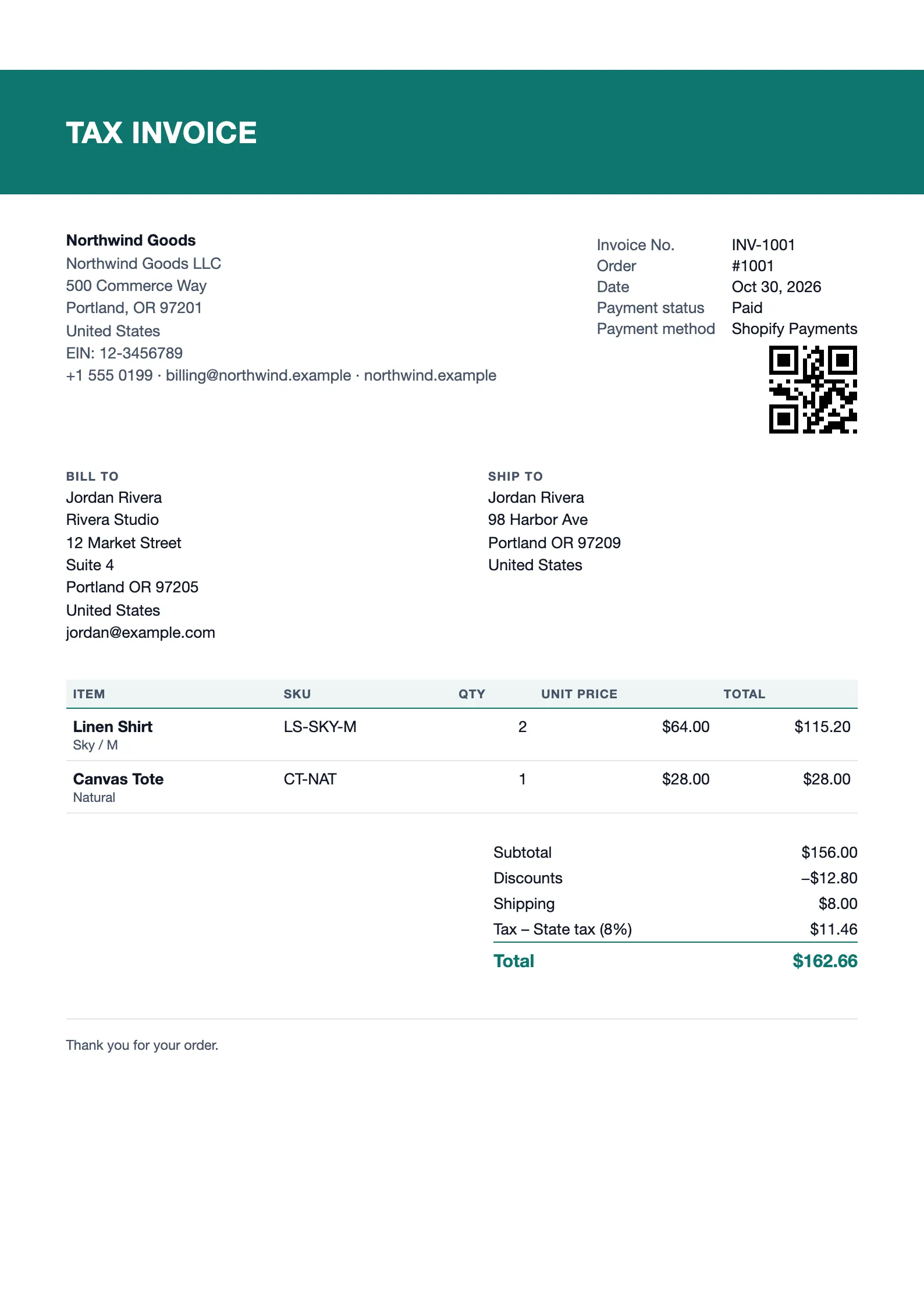
Open any order to preview, issue and download its invoice, receipt or packing slip. Print it, email it to the customer, or void it — all from the order page.
- Invoices, receipts, packing slips and credit notes
- Preview before you issue
- Validation warnings for missing details
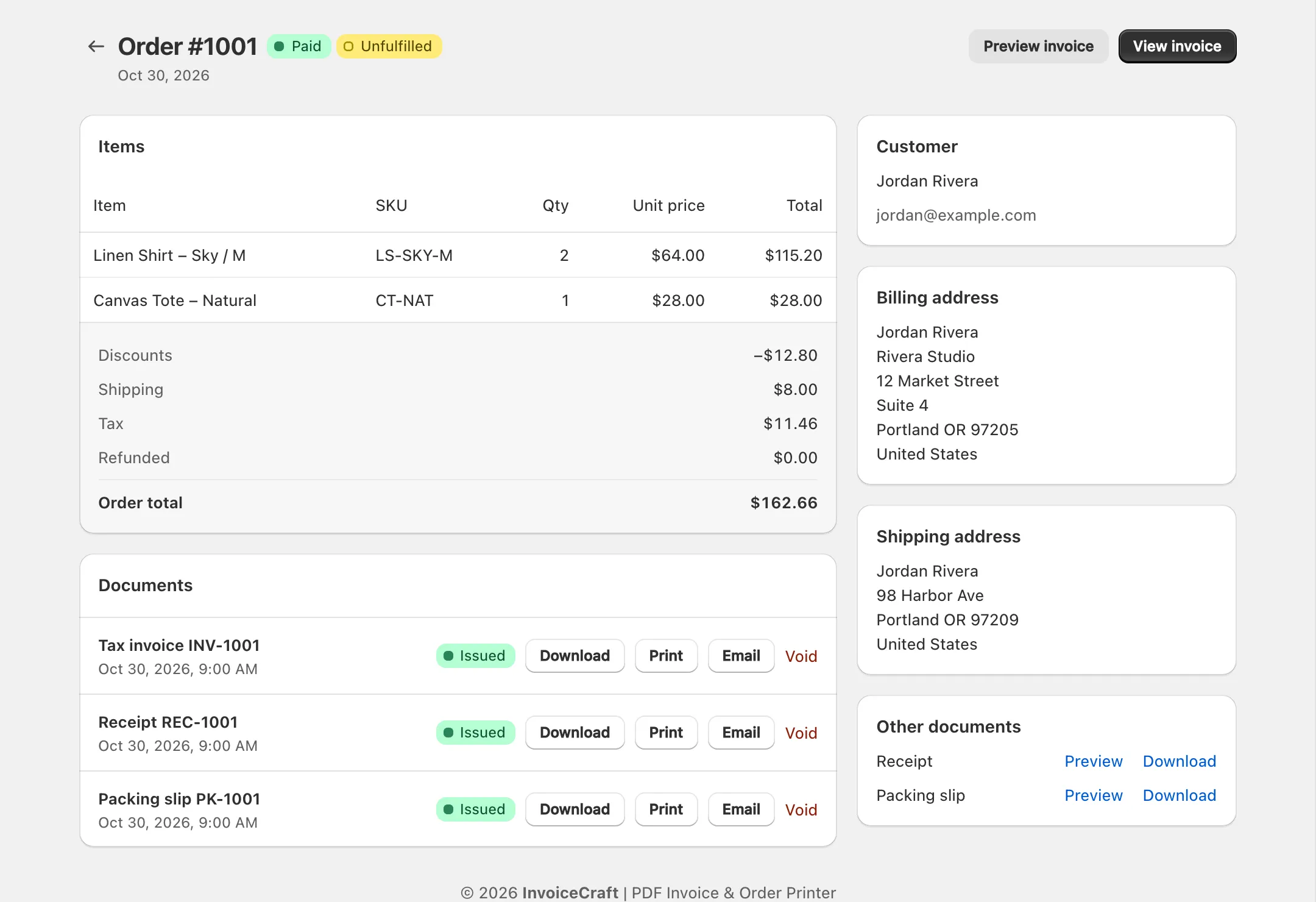
Design invoices that look like your brand
Change layout, colors, fonts, paper size, header and footer text and column order. Every change shows instantly in the live preview next to the settings.
- Minimal, Modern and Compact layouts
- A4 or Letter, logo, tax breakdown
- QR code or barcode on every document (Starter+)
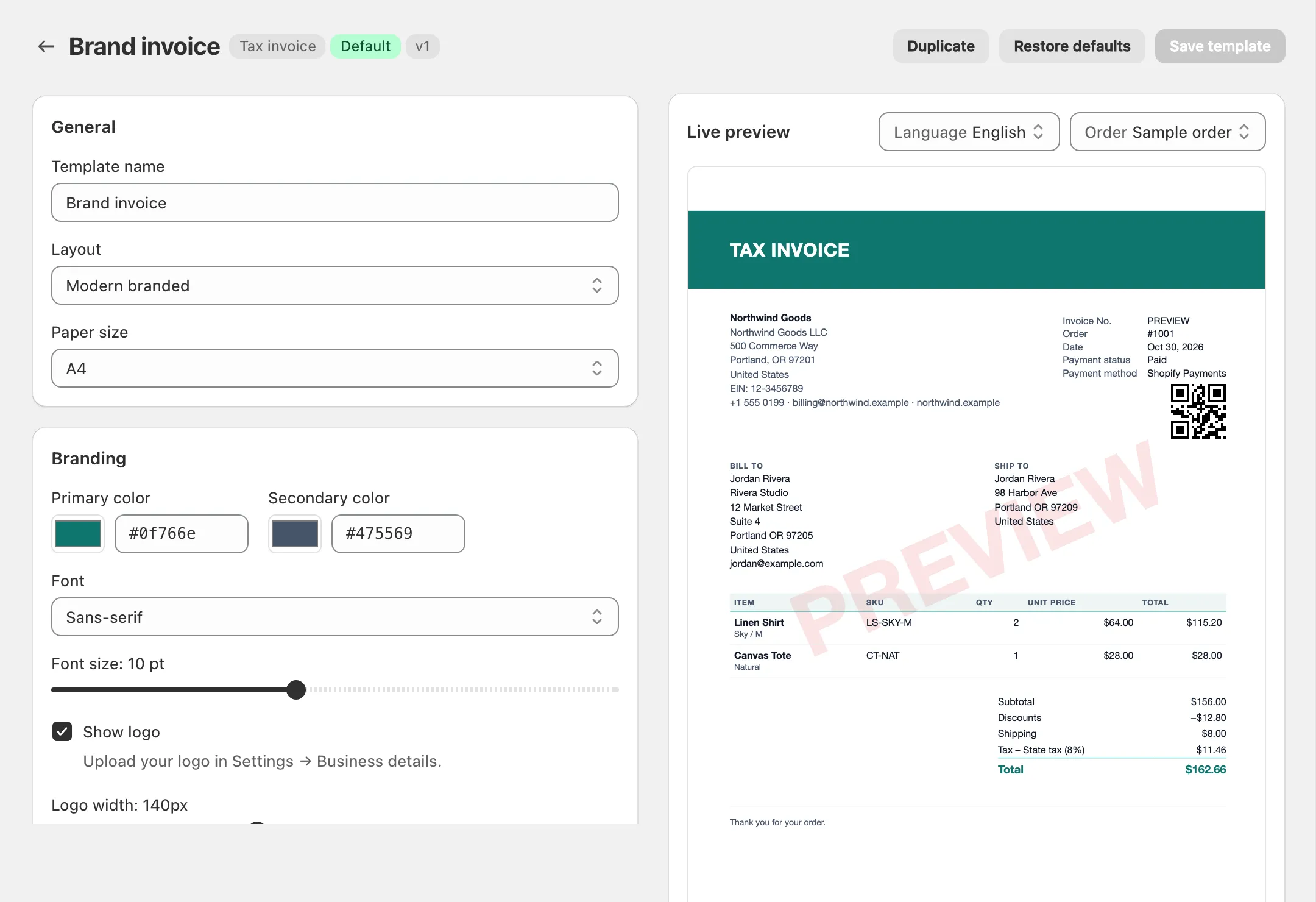
Print a whole day of orders in one click
Select orders and download a ZIP, a merged PDF ready for the printer, or packing slips for the warehouse. Track every job’s progress and retry anything that failed.
- Up to 500 orders per job on Pro
- ZIP or one merged PDF
- CSV export of document metadata
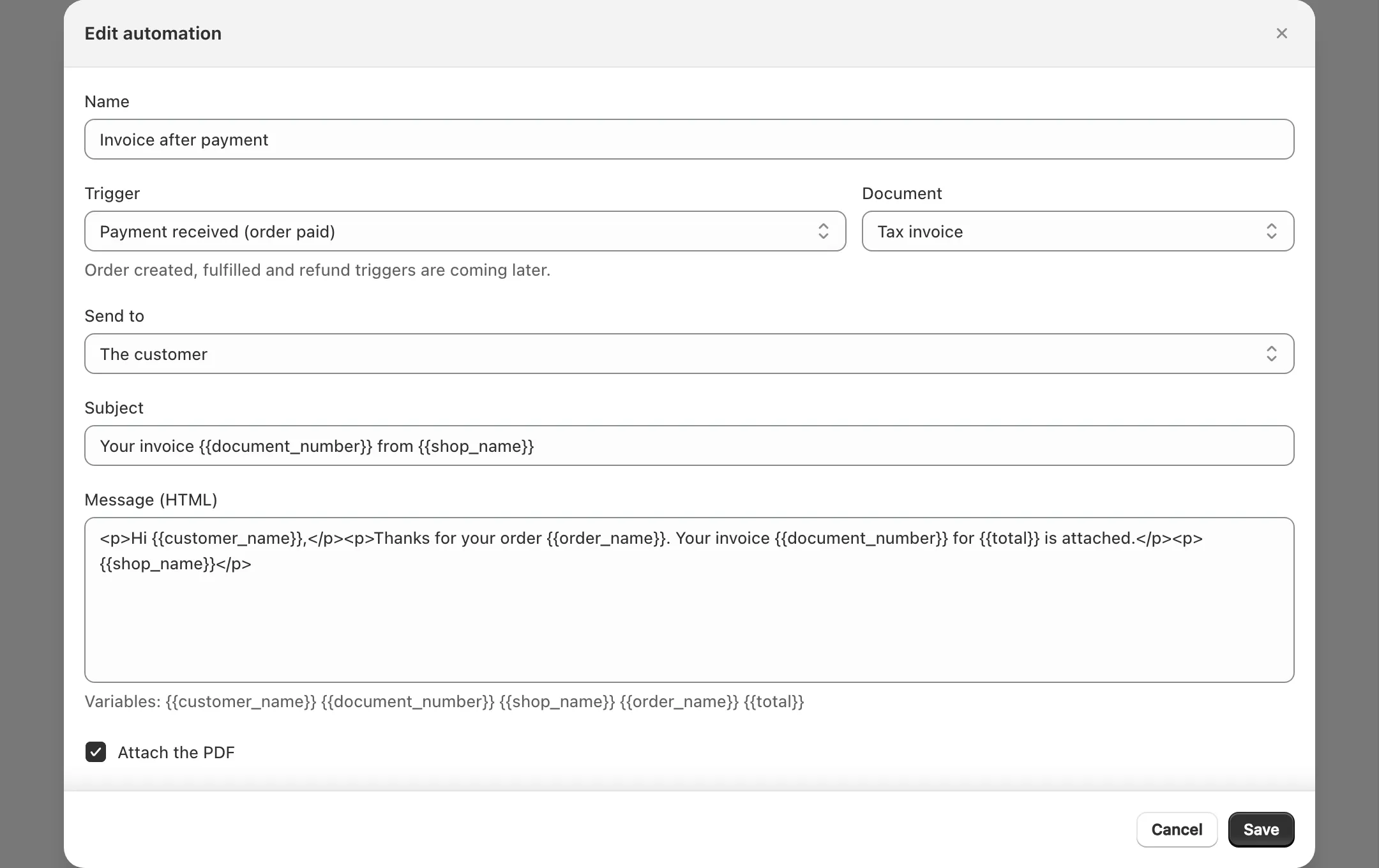
Invoices sent the moment an order is paid
Create rules with your own subject and message. Filter by order total, tag or shipping country, preview the email and send a test before you go live.
- PDF attached automatically
- Dry run and test email
- Full send history
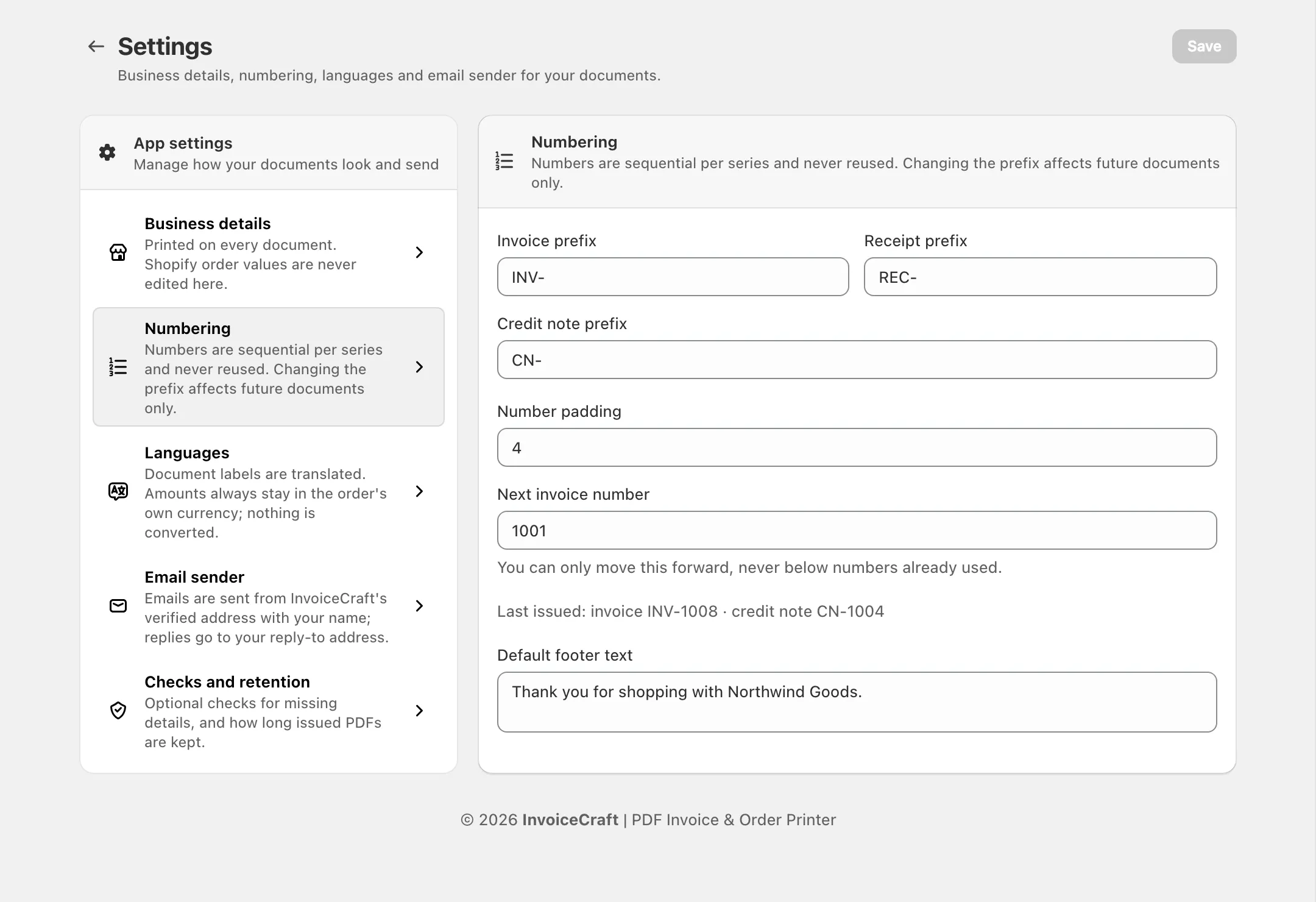
Sequential numbers. No gaps. No edits.
Set prefixes and padding for invoices, receipts and credit notes. Numbers only move forward and issued documents never change, so your records stay audit-ready.
- Separate series per document type
- Credit notes follow every refund
- Auto-delete stored PDFs after N days
See it in action
From order to invoice in 2 minutes
Pricing
Start free. Upgrade when you grow.
Free for 25 orders a month. Paid plans from $9.99/mo.
See pricing →Frequently asked questions
Does InvoiceCraft change my orders?+
No. The app only asks for read access to orders. It never edits orders, products or customers in your store.
Which languages are supported?+
Document labels are available in English, Spanish, French, German, Italian, Portuguese and Dutch. On Pro, the language follows each customer’s locale automatically.
Can I edit an invoice after it is issued?+
Issued documents are permanent snapshots with a stable number, so your records stay consistent. If something changes, void the document and issue a new one, or issue a credit note for a refund.
What counts as an order on my plan?+
Each order counts once per month, no matter how many documents you create for it. Re-downloads, credit notes and extra documents for the same order are free.
Can invoices be emailed automatically?+
Yes. On Starter and Pro you can create rules that email an invoice or receipt with the PDF attached as soon as an order is paid, filtered by order total, tag or shipping country.
Ready to automate your invoices?
Install in one click. Your first 25 orders every month are free.