 InvoiceCraft
How to bulk print Shopify invoices and packing slips
· 3 min read
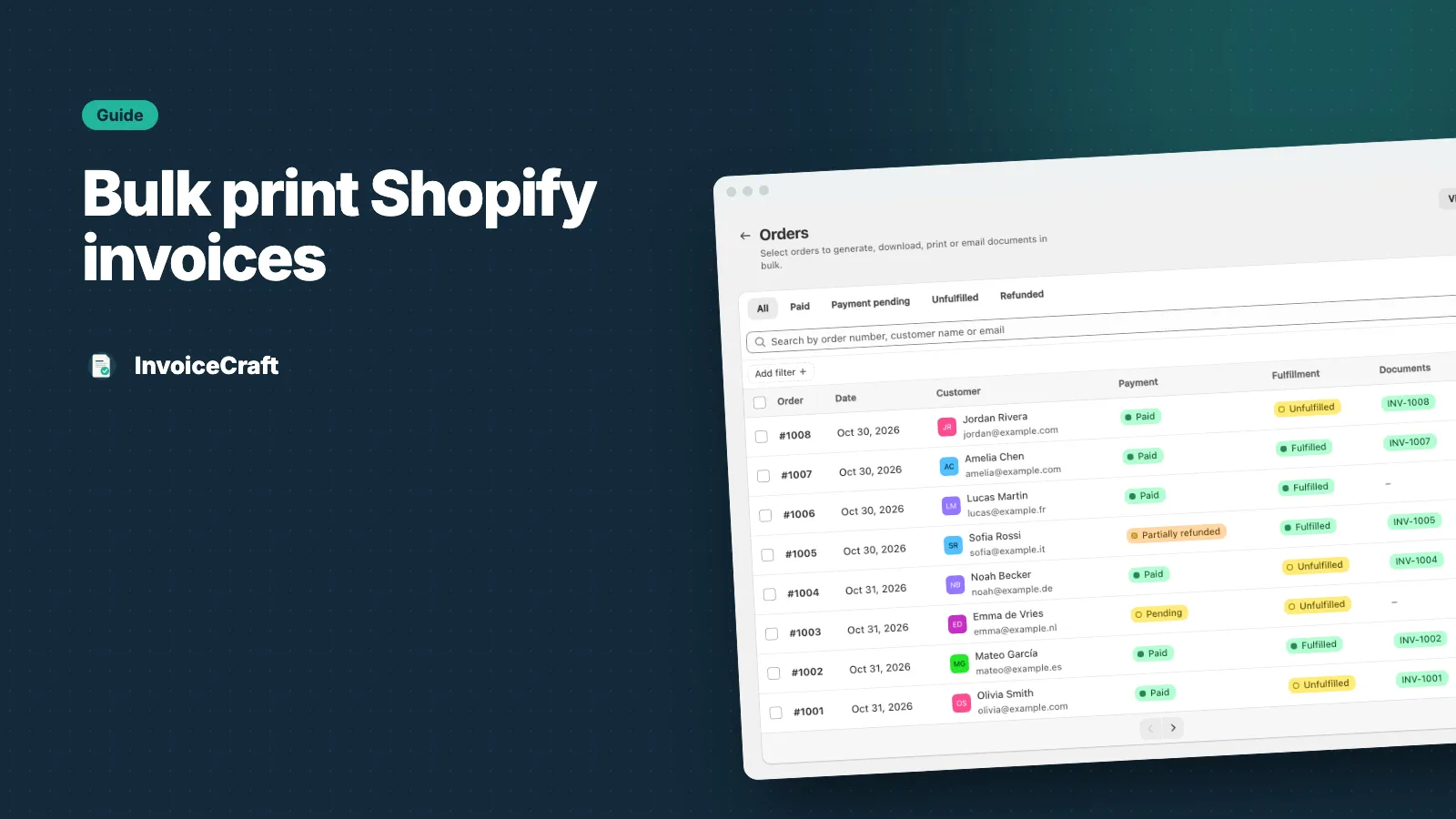
Opening orders one by one to print an invoice or packing slip is fine for five orders. At fifty, it eats your morning. Here’s how to bulk print Shopify invoices and packing slips with InvoiceCraft.
1. Find the orders
Open Orders in InvoiceCraft. Search by order number, customer name or email, and filter by payment status, fulfillment status or date. Saved views get you there faster:
- Paid
- Pending
- Unfulfilled — what still needs to ship today
- Refunded
Each row shows the document numbers already issued for that order, so you can see at a glance what’s done.
2. Select them
Tick the orders you need, or select everything on the page.
3. Choose what to create
Pick an action:
- Download ZIP — one PDF per order, zipped. Best for archiving or sending to your accountant.
- Merged PDF — all documents in a single PDF, ready for the printer. Best for printing invoices or packing slips in one go.
- Print packing slips — a merged PDF of packing slips for the warehouse. See what to put on a packing slip.
Merged PDFs are available on Starter and Pro. ZIP downloads work on every plan.
4. Track the job
Bulk work runs in the background, so you can keep working. The Bulk jobs page shows each job’s progress — how many orders were processed and how many succeeded. If some orders fail — for example because an order has no line items — you can retry just those. Retries never issue duplicate documents or numbers.
How many orders per job?
| Plan | Orders per bulk job | Merged PDF |
|---|---|---|
| Free | 10 | – |
| Starter | 100 | ✓ |
| Pro | 500 | ✓ |
Export document data to CSV
On Starter and Pro, you can export a CSV of all your documents — document number, type, status, order, currency, total and issue date. It’s useful for your bookkeeping or to reconcile against your sales reports.
Does bulk printing use up my plan?
An order counts once a month, however many documents you create for it. Printing a packing slip and an invoice for the same order — or downloading them again — doesn’t count twice. See pricing.
Tips for a faster routine
- Use the Unfulfilled view each morning, select all and print packing slips in one job
- Let invoices go out automatically after payment instead of printing them
- Use the Compact layout to fit long orders on fewer pages